
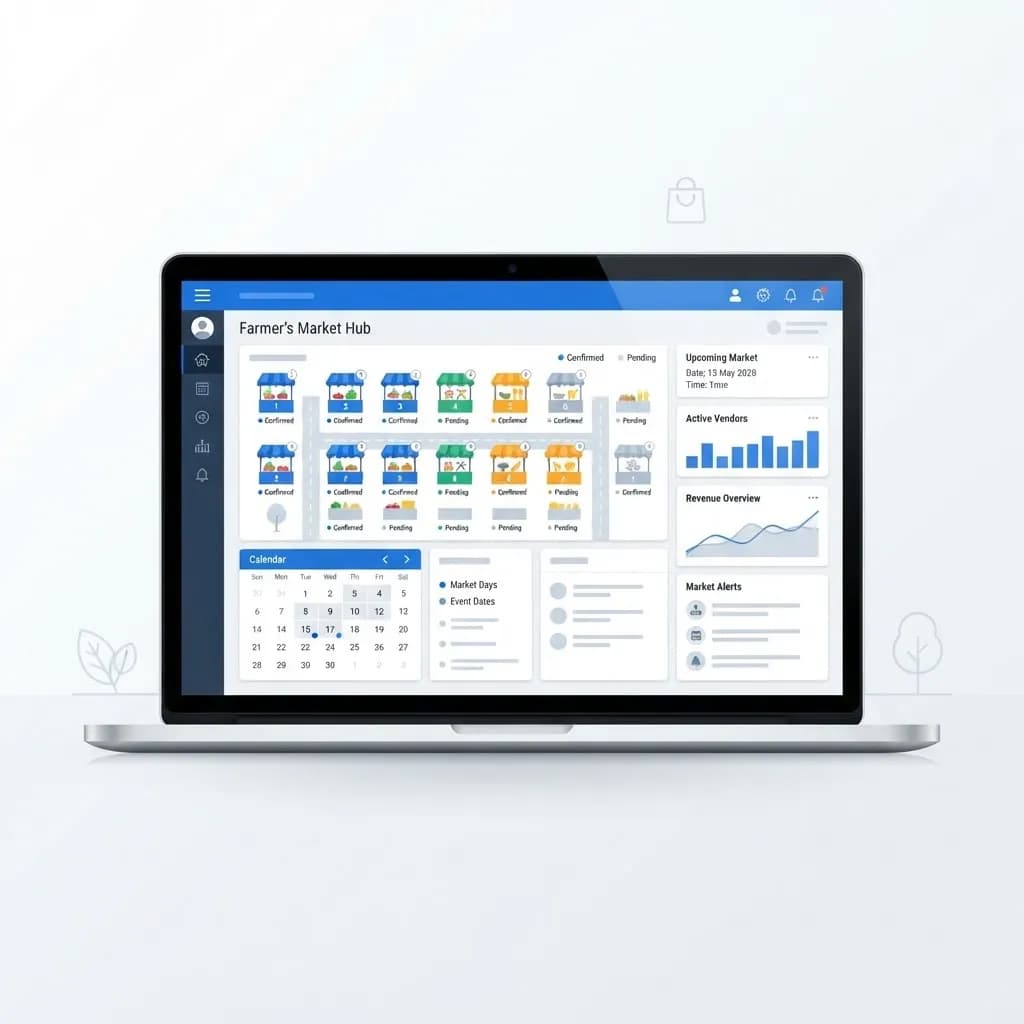
Running a farmers market looks charming from the outside and chaotic from the inside. Vendor applications, insurance certificates, stall maps, fee collection, and last-minute cancellations all land on one coordinator's desk.
Manage My Market is the kind of software built specifically for that problem. It replaces the spreadsheet-plus-email tangle with structured applications, assignments, and payments in one place.
This guide explains what market management software does, who benefits, how to roll it out without upsetting long-time vendors, and what to watch out for.
What Is Manage My Market?
Manage My Market is a web-based platform for farmers market and public market organizers. Vendors apply online, upload documents, request dates, and pay fees, while managers approve applications and build the stall layout from one dashboard.
The core value is simple: every vendor record, licence, and payment lives in one searchable system instead of scattered inboxes. That matters most on market morning, when decisions must be made in minutes.
Most platforms in this category also handle season-long versus daily vendors, waitlists, product category limits, and end-of-season reporting for grant or municipal requirements.
Who Uses Market Management Software?
Any recurring vendor event with more than a handful of participants eventually needs structure.
- Farmers market managers and nonprofit market boards
- Municipal parks and recreation departments running public markets
- Craft fair and artisan market organizers
- Food truck rally and street festival coordinators
- Vendors themselves, who apply and track their own bookings
Key Features to Expect
Online Vendor Applications
Custom application forms capture products, licences, insurance, and preferred dates. Required-field logic stops incomplete submissions before they create follow-up work.
Stall and Map Assignment
Digital layouts let managers drag vendors into spaces, avoid category clashes, and publish the map so everyone knows where to set up.
Fee and Payment Tracking
Season fees, daily stall charges, and percentage-of-sales reporting are recorded per vendor. Online payment cuts cash handling and reconciliation time dramatically. Adding checkout usually means integrating a payment provider through solid back-end web development.
Communication and Reporting
Bulk email to approved vendors handles weather cancellations, while season reports summarise attendance, revenue, and category mix for boards or funders.
How to Get Started
Adoption succeeds or fails on vendor experience, so sequence the rollout carefully.
- List every task you currently do manually across a full season.
- Choose the two or three tasks costing the most hours and prioritise those features.
- Import your existing vendor list before opening applications.
- Build your application form with only genuinely required fields.
- Upload your stall map and define categories and limits.
- Run one market day in parallel with your old method as a safety net.
- Train vendors with a short walkthrough video or one-page guide.
Benefits of Digital Market Management
The gains show up fastest in administrative hours saved.
- Far less email back-and-forth during application season
- Accurate records for insurance, licensing, and audits
- Faster fee collection with fewer unpaid balances
- Clear waitlists and fair assignment history
- Reports that make grant applications and board updates painless
Potential Challenges
Software solves process problems, not people problems.
- Vendors with low digital comfort may resist online applications
- Subscription costs can strain small volunteer-run markets
- Poor initial setup produces messy data that is painful to fix later
- Weak mobile usability undermines on-site use during market hours
Best Practices and Tips
A little discipline in year one saves years of cleanup.
- Keep application forms short; every extra field lowers completion
- Set document expiry reminders for insurance and food licences
- Publish the stall map publicly so shoppers can find favourite vendors
- Offer a phone or paper fallback for the handful of vendors who need it
Real-World Example
A Saturday market with 60 vendors ran on a shared spreadsheet, a personal inbox, and a cash box. Application season consumed most of two volunteers' free time, and insurance certificates regularly went missing.
After moving to an online system, applications arrived complete, fees were paid before opening day, and the manager built the stall map in an afternoon. The market also launched a public vendor directory page, promoted through steady social media management, which noticeably lifted shopper attendance.
Why It Matters
Farmers markets support small producers, local food access, and community connection. When organizers drown in admin, programming and outreach are the first things cut.
Good management tooling gives that time back, letting managers focus on vendor mix, marketing, and shopper experience instead of chasing paperwork.
Frequently Asked Questions
What does Manage My Market do?
It handles online vendor applications, document collection, stall assignments, fee payments, bulk communication, and season reporting for farmers and public markets.
Is market management software worth it for a small market?
Usually yes once you exceed roughly 20 vendors, since the hours saved on applications and fee tracking quickly outweigh a modest subscription.
Can vendors pay stall fees online?
Most platforms support online payment through an integrated processor, which reduces cash handling and makes reconciliation far simpler.
How long does setup take?
Expect a few days to a couple of weeks depending on vendor count, document requirements, and how clean your existing records are.
Conclusion
Manage My Market and similar platforms turn a stressful seasonal scramble into a repeatable process. Start with your biggest administrative pain point, migrate carefully, and support the vendors who need help adapting.
If you need a public-facing market site to sit alongside your admin tools, a clean build using React JS web development keeps vendor directories and schedules fast and easy to update.
Enjoyed this article? Share it with others!